Resources
/
Product updates
/
Every call, email, login and payment for an account on one timeline
proPay

Every call, email, login and payment for an account on one timeline

Every call, email, login and payment for an account on one timeline
The whole account, in order
K
Karan Ashta
November 5, 2026

Account Explorer puts an account's emails, texts, calls, payments, plans and proPay sign-ins on one timeline, so your team can see what happened and in what order.

Why we built it

Answering a client's question about one account meant opening several pages. Payments sat in Transactions, upcoming ones in Scheduled Payments, plans in Plan Management, sign-ins in User Logins and messages in Communications. Each page had its own search, so teams matched dates by hand. Producing a copy of an email the consumer received took longer still.

How it works

Search by name, account ID, client, email or phone, and the account's full history opens on one page.

An account's details on the left, and every login, text, email, plan and payment on the timeline on the right.
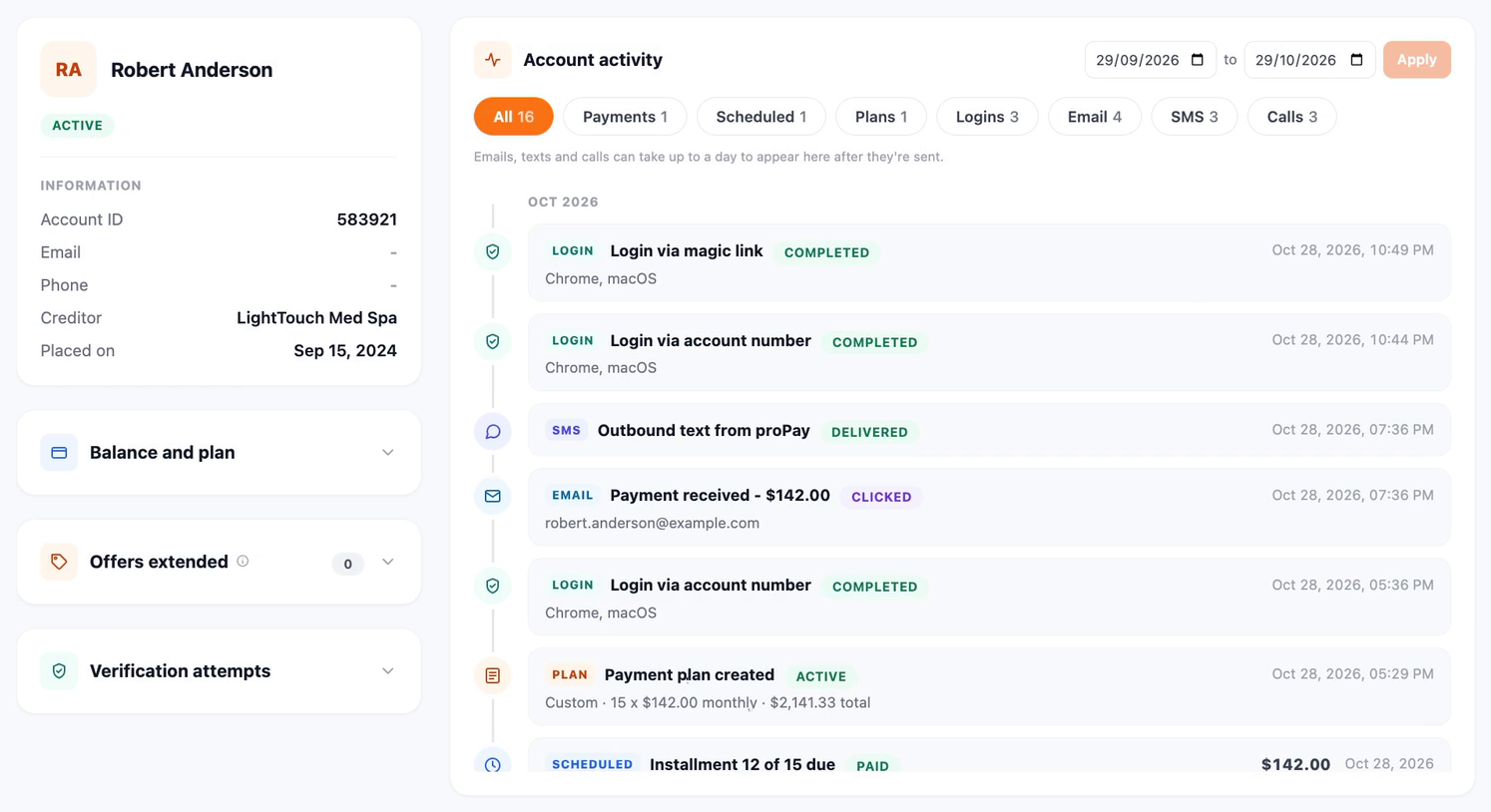
  • Contact details, current balance, amount paid, plan progress, next payment due and any offers extended sit alongside the activity.
  • Every proPay sign-in attempt is listed, successful or failed, by method, including magic-link logins.
  • The timeline holds every email, text, call, payment, payment plan and portal login in date order. Filter it by event type or date range, and click an event to see what was recorded, such as whether an email was opened or how a call ended.
  • Emails open exactly as the consumer received them. A Variables tab shows the values filled into the template, and any email can be downloaded as HTML or PDF.

‍

Account Explorer showing a consumer account with balance, offers and verification panels, next to a filterable activity timeline

‍

What you get

The timeline shows how one touchpoint led to the next. A text goes out from proPay, the consumer signs in through the magic link and pays, and the receipt email follows. Teams see that sequence on one page and no longer rebuild it from separate reports.

  • Support can tell a client whether a consumer got the message and paid without leaving the account.
  • When a consumer disputes something, the team has the email as received and every call attempt on record.
  • When a consumer says they never logged in, the sign-in history shows each attempt and how it was made.
  • When a client or auditor asks for a copy of a communication, the team downloads it with the template values that went into it.

See what Prodigal can do for your operations

Talk to us about where AI fits in your collections and servicing.

Book a demo